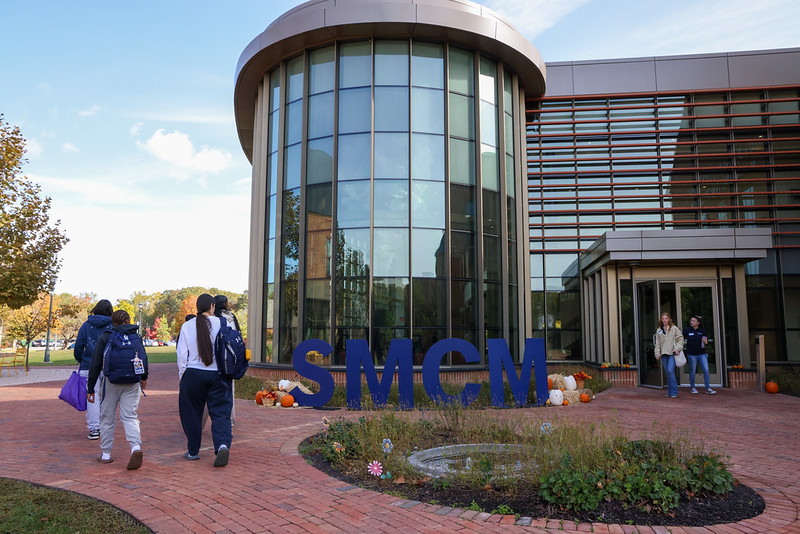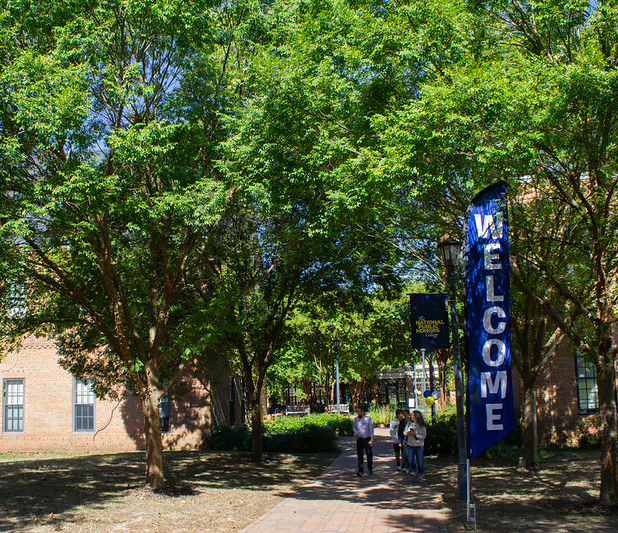
St. Mary's College of Maryland
Faculty & Students on Campus

Questions?

For further information, contact:

Office of Institutional Research and Reporting
Glendening Hall

Elizabeth A. Clune-Kneuer, M. Ed.
Assistant Director of Institutional Research
eaclune@smcm.edu
Clayton A. Hartley, M.S.
Assistant Director of Institutional Reporting
cahartley@smcm.edu 

Appropriate Usage of Campus Technology

Appropriate Use Policy

Members of the St. Mary's College of Maryland community have a responsibility to act honorably, with integrity, fairness, and respect for others. This responsibility extends to the information resources of the College. In order to support and enhance the educational mission of St. Mary's College of Maryland, access is granted faculty, staff, registered students, and special guests to information resources owned and supported by the College. These resources should be used in a responsible manner, with care and concern for the needs and rights of others. St. Mary's College of Maryland has developed an "appropriate use" policy.

This appropriate use policy is a guide that is intended to inform and heighten awareness of the issues that are involved in the use of information resources. It is not intended to replace common sense and concern for the needs of others.  If members of the campus community have any questions about activities that could potentially be in conflict with this appropriate use policy, these questions should be directed to Campus Technology Support Services. Please send these questions to the CIO.

Be Considerate In Your Use of Our Limited Resources

It is important to be considerate in your use of shared resources. Users should avoid controlling or degrading computer systems, overloading networks with large email attachments, or wasting computer time. Consideration of shared resources should include connect time, disk space, printer paper, support staff, and other computer and information resources.  For example, campus networks may not be used to transmit mass emails unless these mailings are for official College purposes. If you are not sure if your mass email is an official College communication, or if you have an official email and you don't know how to send it, please send a message to itsupport@smcm.edu.

Equipment Replacement Policy

The College shall replace or repair lost, stolen, or damaged equipment to individuals with equivalent units. Should funds not be readily available for this purpose, the College shall attempt to replace the unit from its stock of existing equipment. Should that be impractical, an inferior unit shall be provided until such time as the original unit is scheduled to be replaced with a new unit, or a better unit is available.

Observe the Intended Use of Campus Networks

The purpose of campus networks is to support research, education, service, and administrative activities, by providing access to computing resources and the opportunity for communication and collaborative work. All uses of the campus networks should be consistent with its purpose. Violation of this standard can result in the loss of user privileges. If you are not sure about what is appropriae or have a complaint about use by someone else, please send a message to the CIO.

Maintain the Confidentiality of Your Password(s)

Your computer account user ID identifies you to the entire Internet community. Anyone who knows your password can use your account. If he or she does anything that affects the system, it will be traced back to your user ID. If your user ID or your computer account is loaned to someone else, you can be held responsible and may lose your user privileges.  In addition, the creation and maintenance of appropriate passwords are the responsibilities of the user. Users that don't establish and maintain their passwords according to College recommendations may subject College resources to abuse and this could result in a loss of user privileges. Willful misrepresentation of yourself as another individual or remaining anonymous is not allowed on campus networks.

Comply with the Laws Governing Copyrighted Materials

Many software programs, images, sounds, text, and related materials are owned by individual users or third parties, and are protected by copyright and other laws, by licenses and other contractual agreements. You must abide by these restrictions, because to do otherwise is a violation of copyright law.

Such restrictions may include prohibitions against copying data, images, sounds, or programs, the resale of this material or the use of this material for non-educational purposes or for financial gain, and public disclosure of information about programs (e.g. source code) without the owner's authorization otherwise might make you subject to criminal or civil penalties. Please direct your questions about copyright to the CIO.

Click here to read more about legal alternatives to downloading media.

Click here to read more about the consequences to illegal downloading.

Comply with the Laws Governing the use of Electronic Resources

Use of College electronic resources to violate city, state, federal or international laws, rules, regulations, rulings or orders, or to otherwise violate College rules is prohibited. Such misuse could result in expulsion or termination of employment. Please direct your questions about laws governing electronic resource use to the CIO.

Comply with the Laws Governing the Privacy of Other Users

Federal law protects the privacy of users of wire and electronic communications. Maryland State Law (Annotated Code of Maryland, Article 27, Sections 45A and 146) also protects your rights as a user of campus computing facilities. You should make sure that your use of campus networks and other computing facilities does not violate the privacy of other users, even if unintentionally. Specifically, don't try to access the files or directories of another user without clear authorization from that user. Typically, this authorization is signaled b the other user's setting file access permissions to allow public or group reading of the files. If you are in doubt, please direct your questions to the CIO.

Assure Ethical Use of Your Email Privileges

Guidelines on the use of email are not based on etiquette alone. Email sent with the intent of disrupting communication or other system services is not allowed. The proliferation of electronic chain letters is abusive to the mail system and the network. Chain letters and huge attachments waste valuable computing resources, and may be considered harassment. You may lose your network privileges by creating or forwarding chain letters. In addition, users who forward messages with viruses can disrupt the entire computing infrastructure. Users are responsible for using and updating the virus software that is made available through the College Help Desk (itsupport@smcm.edu).

(The CITC amended this policy on April 7, 2003.)

Student access to "All" lists shall be limited to the following:

  • SGA club presidents shall have access to the use of All Students, All Faculty, and All Staff lists only after consulting and obtaining permission from their respective faculty club advisors.
  • The SGA President, or the SGA President's designee, shall have access to the use of All Students, All Faculty, and All Staff lists only after consulting with the director of student activities and obtaining permission. All student emails must be reviewed and approved, and then sent by the appropriate authority on behalf of the student. Club sponsors are responsible for approving emails with information about club activities. The Vice President and Dean of the College or Director of Student Activities are responsible for approving all other student emails.


Faculty and staff shall have access to the use of "All" lists.

The following guidelines are strongly recommended in order to enhance the efficient and effective use of the College's email system:

  • Regarding the use of All Students, All Faculty, All Staff, or other "All" lists, ask yourself whether the message should be sent to everyone on the "All" list.
  • Construct your own lists of recipients whom you know are not interested in receiving messages about specific topics, especially when the topic is probably not of interest to the entire community.
  • Avoid, if possible, the use of attachments, especially when using "All" lists. Place your information into the text window of your email message. Attachments typically use more than 10 times as much storage space and bandwidth as the same text sent in the text window. Avoiding attachments will reduce bandwidth and storage demands on the College's system, considerably speed up downloading email from remote locations with modems, and reduce wasted remote storage space such as your own hard drive.  When possible, refer recipients to web pages instead of attaching documents to a message.
  • Avoid, if possible, the embedding of graphic images in your email messages or attachments, especially when using "All" lists. Graphic images take up a great deal of space, typically more than the entire text of a message. Also avoid the use of images and animated sequences to spruce up your recipient's message window.
  • Always use a clear subject heading to assist recipients in dealing efficiently with your message.
  • Limit announcements of events to the 1/1 rule (once well in advance of an event, and once more a day or so before the event).


The guidelines shall also be posted on the College's web site. In order to publicize the guidelines, directors and department chairs shall direct all staff and faculty members to the Appropriate Use Policy on the College web site and encourage adherence at the beginning of each academic year. Technology Services shall notify all students of the Appropriate Use Policy and encourage adherence as part of the student computer registration process and upon login to any computer lab machine.

Email message language is discoverable and can be used against the sender in litigation.

For further information please refer to the Electronic Mail Policy.

Comply with the Laws Governing Harassment

Harassment is any verbal, written, electronic, or physical conduct, on or off campus, which has the intent or effect of unreasonably interfering with an individual's or group's educational or work performance or which creates an intimidating, hostile, unsafe, or offensive educational or work environment. Harassment on the basis of race, color, gender, disability, religion, national origin, sexual orientation, or age includes harassment of an individual in terms of a stereotyped group characteristic, or because of that person's identification with a particular group. With reference to sexual harassment, the definition also includes unwelcome sexual advances and requests for sexual favors which might be perceived as explicitly or implicitly affecting educational or employment decisions concerning an individual. Sending unwanted and/or offensive email or messages (flaming) may constitute harassment and is in violation of the intended use of the system. To report incidents of online harassment, send email to the College's affirmative action officer.  Students sending unauthorized or offensive messages will be referred to the College's judicial system.

Assure the Use of the System is for College-Related Activities

The purpose of the campus network is for the use and support of the activities that are part of the St. Mary's College of Maryland experience. Computer resources are not to be used for commercial purposes, for personal business, or non-College related activities. All members of the College community are given Web space for their own use. The Web space may include professional and personal information. College email accounts should be used to perform College-related business and may also be used to communicate with friends, family, classmates, and associates locally and off campus. Any email sent with "@smcm.edu" is the property of the College. Questions about the use of these resources should be directed to the CIO.

System Administrators will Respect Your Privacy

It is not the routine policy of administrators or their designees to view others' files, and the intention is to keep files private, but such privacy cannot be guaranteed. A personal password does not guarantee the confidentiality of email messages.  Even when a message is deleted or erased, it is still possible to retrieve the message. Email on campus networks is private; however, privacy of email and computer files cannot be guaranteed.  Attempts to read another person's email or other protected files will be treated with the utmost seriousness. System administrators will not read email or non-world-readable files unless absolutely necessary in the course of their duties, and will treat the contents of those files as private information at all times.  If you believe that a system administrator has accessed your private files, you may submit a request to the LAN administrator by sending an email within five working days of the suspected access to find out if such action was taken, and if so, when it was taken and why.

When an individual is alleged to be abusing network or other computing resources, any or all of his or her network and computing privileges may be suspended immediately to protect the resources and to assure reliable service to the rest of the campus community. Any alleged infraction that results in suspension of any or all privileges will be forwarded to an appropriate campus authority for timely review. The individual will be notified through campus or US mail. If appropriate, the matter may also be referred to the appropriate county, state, or federal authorities.

Legal Alternatives to Downloading

Illegal downloading of music, movies, and other media is an unfortunately common occurrence in today’s technology savvy society. Theft of copyrighted material is often flippantly regarded as an everyday occurrence. With it can come expensive consequences; what most people don’t realize is that illegal downloads often come with some sort of virus or spyware that can damage the computer system. Fortunately, there are legal ways of obtaining copyrighted material such as music and movies for free. EDUCAUSE has compiled a page of resources for free legal downloads. Please take advantage of this resource instead of illegal peer-to-peer programs such as Limewire.

Copyright Infringement Policy

AGENT FOR NOTIFICATION OF COPYRIGHT INFRINGEMENT

As required by the Digital Millennium Copyright Act of 1998, the following individual is designated for notification of potential copyright infringement regarding this Web site hosted by St. Mary's College of Maryland:
Celia E. Rabinowitz
St. Mary's College of Maryland
18952 E. Fisher Rd.
St. Mary's City, MD 20686
Ext 4267
240-895-4267
Fax: 240 895 4914
cerabinowitz@smcm.edu

If you believe this Web site hosted by St. Mary's College of Maryland, or any site linked to it, infringes a copyright, please provide the following information to the person identified above (17 U.S.C. § 512):

  • A physical or electronic signature of the copyright owner or authorized agent;
  • Identification of the copyrighted work(s) claimed to have been infringed;
  • Identification of the material that is claimed to be infringing or to be the subject of the infringing activity and that is to be removed or access to which is to be disabled, and information reasonably sufficient to permit us to locate the material;
  • Information regarding how we may contact you (e.g., mailing address, telephone number, e-mail address);
  • A statement that you have a good faith belief that use of the material in the manner complained of is not authorized by the copyright owner, its agent, or the law; and
  • A statement by you that the information in your notification is accurate, and, under penalty of perjury, that you are the copyright owner or authorized to act on behalf of the copyright owner.
Notice and Takedown Procedure

It is expected that all users of the St. Mary's College of Maryland Web site will comply with applicable copyright laws. However, if St. Mary's College of Maryland is notified of claimed copyright infringement, or otherwise becomes aware of facts and circumstances from which infringement is apparent, it will respond expeditiously by removing, or disabling access to, the material that is claimed to be infringing or to be the subject of infringing activity. St. Mary's College of Maryland will comply with the appropriate provisions of the DMCA in the event a counter notification is received by its designated agent.

Aerial view of St. Mary's College of Maryland campus

St. Mary's College of Maryland
18952 E. Fisher Rd
St. Mary's City, MD 20686-3001
240-895-2000